Complete Food Delivery Platform

Launch Your Own Food Delivery App

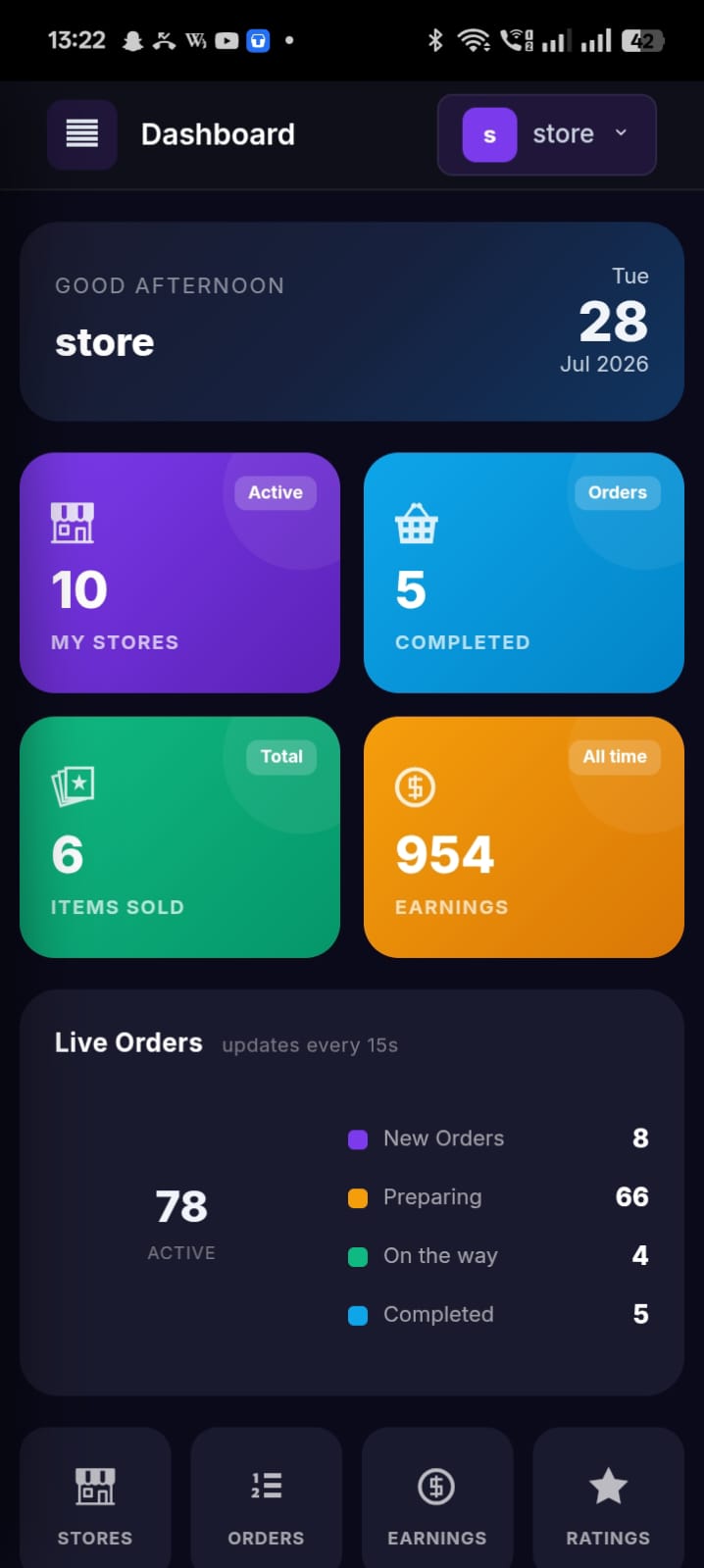
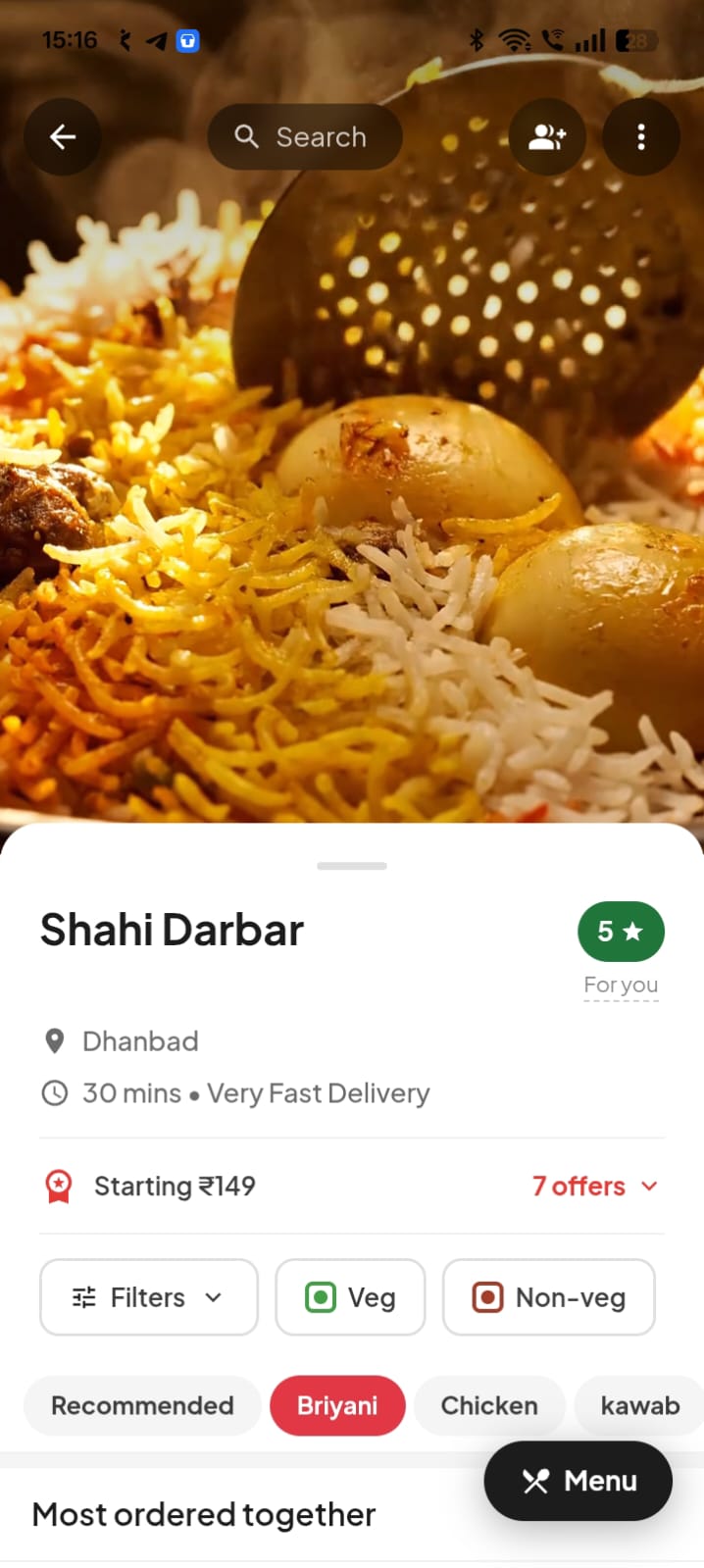
Xmato is a complete white-label food delivery solution. Customer app, restaurant app, rider app & admin panel — all under your brand.

50+ businesses already launched
✅ Android + iOS
📱 100% White Label
⚡ 3-Day Setup
🖥️ POS Included
💳 In-App Wallet
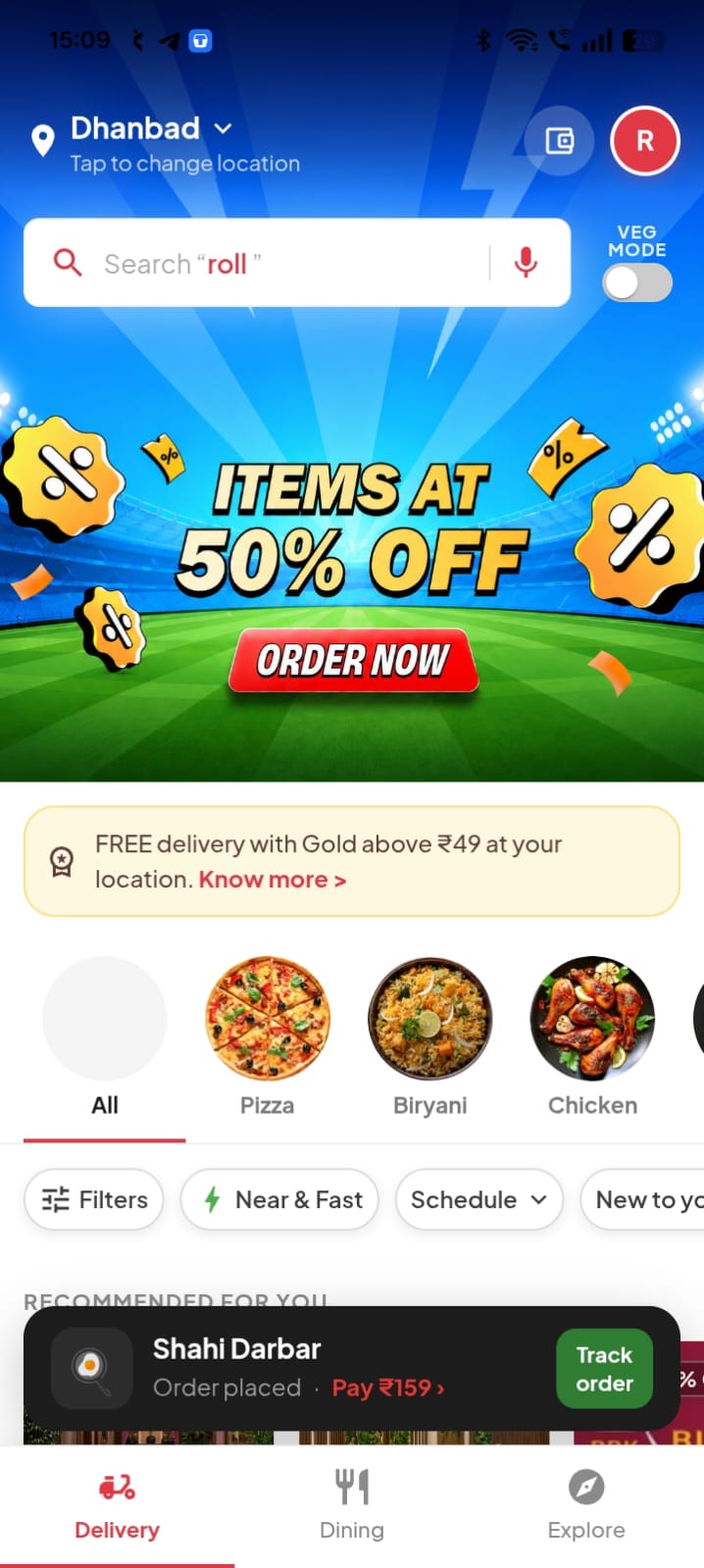
🗺️ Live GPS Tracking
🎫 Coupons & Offers
🔔 Push Notifications
🌍 Multi-City Ready
⭐ Ratings & Reviews
📅 Scheduled Orders
🦅 Live Rider Eagle View
Customer App Restaurant App Rider App Admin Panel QR Table Ordering Live Kitchen Video Full POS Multi-City White Label Live Tracking UPI Payments Push Notifications Customer App Restaurant App Rider App Admin Panel QR Table Ordering Live Kitchen Video Full POS Multi-City White Label Live Tracking UPI Payments Push Notifications
✦ What's Included

Complete Platform, Day One

Everything your food delivery business needs — apps, dashboard, POS, QR ordering and more. All included, no add-ons.

📱
Customer App
Android + iOS, fully branded
🏪
Restaurant App
Order mgmt & live menu
🛵
Rider App
GPS + earnings tracker
🖥️
Admin Panel
Full control dashboard
📷
QR Table Ordering
Scan, browse & pay at table
🎥
Live Kitchen Video
Build trust, reduce cancels
💳
Full POS System
Dine-in billing terminal
🏷️
Custom Branding
Your logo, domain & colors
🎬 Live Demo

See It In Action

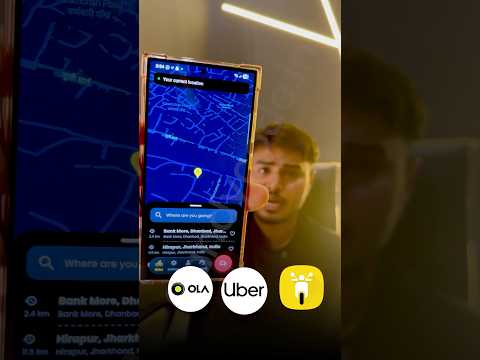
Booking a Ride

Booking a Ride

Driver App Flow

Driver App Flow

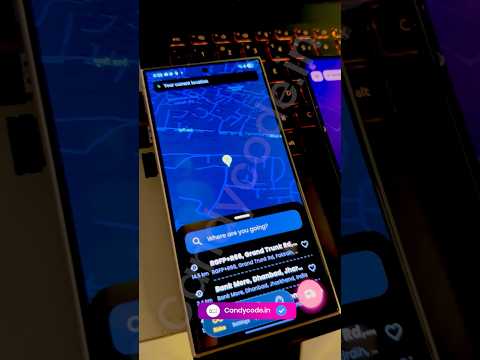
Live Tracking

Live Tracking

✦ Platform Apps

Everything You Need to Run a Food Delivery Business

Everything your food delivery business needs — built, branded and live in 3 days.

01
🍽️
Customer App
Browse restaurants, explore menus, track delivery live, pay online — a seamless food ordering experience for your customers.
Browse & search restaurants
Real-time delivery tracking
UPI, card & wallet pay
Coupons & loyalty rewards
02
🏪
Restaurant App
Manage orders, update menu, set availability, accept/reject orders — everything a restaurant partner needs in one app.
Accept & reject live orders
Menu & price management
Daily sales analytics
Multi-branch support
03
🛵
Rider App
Accept deliveries, navigate optimized routes, track earnings in real-time — everything a delivery rider needs to earn more.
Accept nearby deliveries
GPS turn-by-turn nav
Earnings & payout tracker
Optimized route guidance
04
🖥️
Admin Panel
Full control — manage restaurants, riders, orders, payments, zones, coupons & reports from one powerful web dashboard.
Manage all restaurants
Zone & commission control
Push notification center
Full analytics & reports
Customer App
Android + iOS · Complete customer ordering app
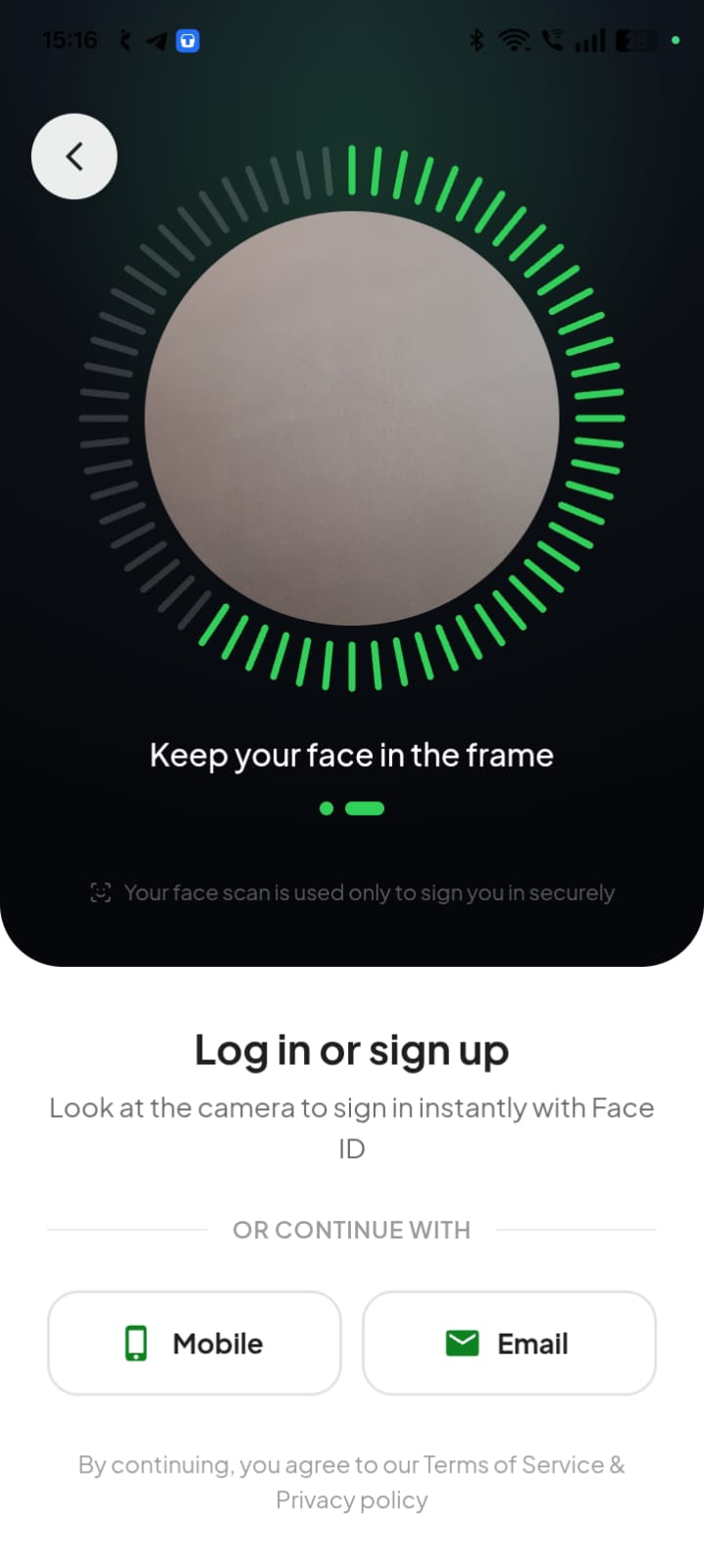
Login & Security
Phone OTP login — 6-digit SMS OTP only; no stored passwords; eliminates credential breach risk entirely
Google & Facebook one-tap sign-in available alongside OTP for convenience
Guest browsing — explore restaurants & menus without any account; account only needed at checkout
Auto city & zone detection — GPS auto-detects city; shows only restaurants that deliver to your location
JWT token authentication — every API call requires a signed JWT; expired or tampered tokens rejected at gateway
5-attempt lockout — account locked after 5 failed OTPs; admin manually unblocks from dashboard
Brute force rate limiting — login endpoints rate-limited per IP; mass-attack attempts auto-throttled
HTTPS / TLS everywhere — all apps and APIs communicate over encrypted HTTPS only; HTTP auto-redirected
PCI-DSS compliant payments — no card data stored on server; all card processing via certified third-party gateways
Home Screen & Discovery
Promotional banner slider — admin-controlled hero banners for offers, new launches & seasonal promotions
Food category chips — horizontal scrollable Biryani, Pizza, Chinese, Desserts chips to filter instantly
Veg / Non-Veg filter toggle — one switch hides all non-veg restaurants for vegetarian customers
Open / Closed real-time badge — each restaurant card shows live open or closed status before customer taps
Real-time search — searches restaurants + dish names + cuisines simultaneously with live suggestions
Sort options — sort by Relevance, Rating, Delivery Time, or Price
Restaurant Page & Menu
Sticky category tabs — Starters, Mains, Beverages, Combos always visible for instant switching
Item add-ons & variants — extra toppings, size (Half/Full, Regular/Large), spice level selection per item
Special instructions per item — free-text note (e.g. "no onion") sent to kitchen with every order
Best-Seller & New badges — tagged dishes show coloured labels attracting attention instantly
Out-of-stock greying — unavailable items greyed out and unclickable; no failed orders due to stale menu
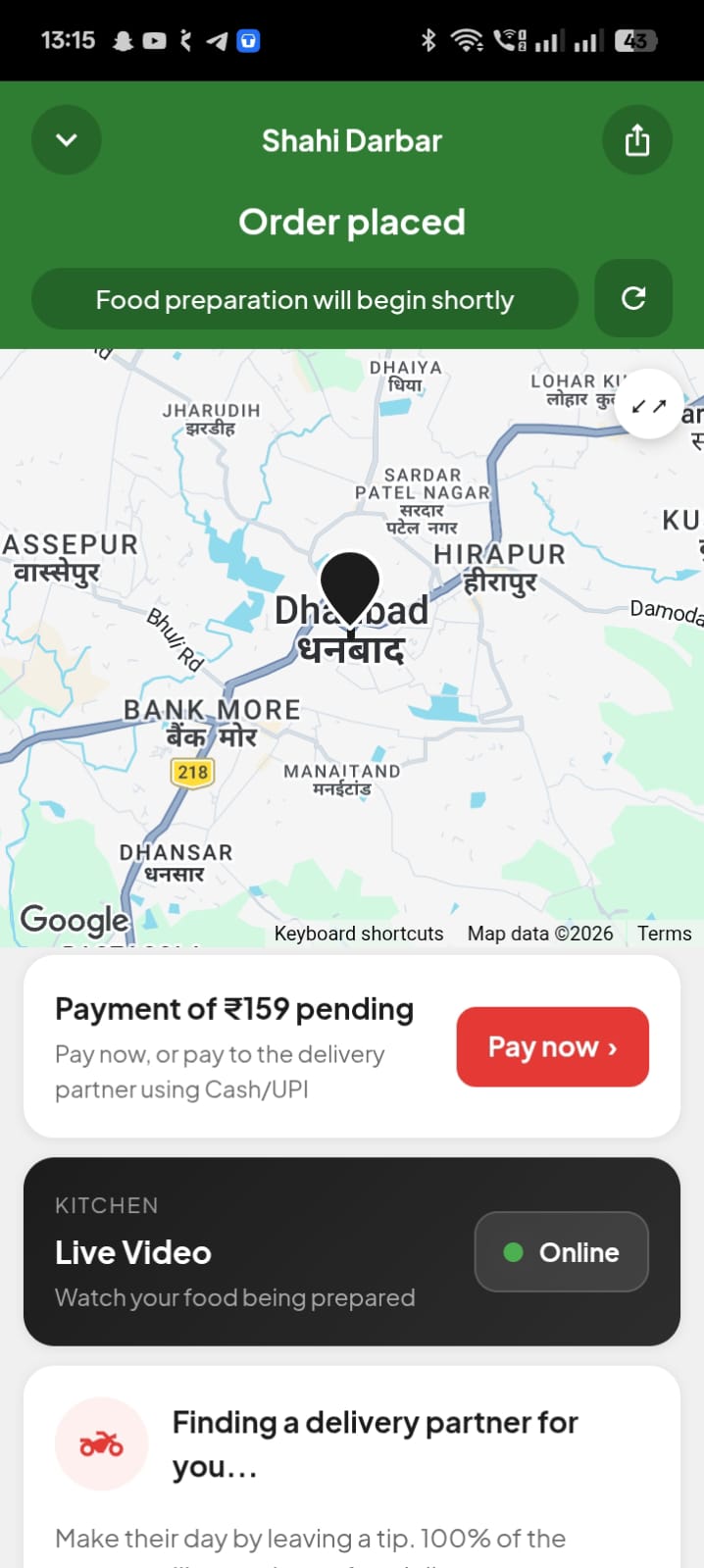
Live Kitchen Video button — "Watch Live Kitchen" opens real-time CCTV stream of the restaurant's kitchen
Ratings & reviews — all reviews with star, comment, date; filterable by star count
Recommended combos — bundled combo deals shown in dedicated section with discounted price
Cart & Checkout
Google Maps address pin drop — drop a pin on map to set exact delivery location with "Deliver here" confirmation
Multiple saved addresses — unlimited labelled addresses (Home, Work, custom); one set as default
Delivery vs Self-Pickup — customer chooses delivery or counter-collect at checkout
Scheduled delivery — pick future date + time slot instead of immediate delivery
Coupon code field — real-time validation; discount preview shown; "View Offers" lists all valid codes
Wallet balance toggle — apply partial or full wallet balance; pay remainder via any other method
Tip for delivery boy — preset ₹10 / ₹20 / ₹30 + custom amount; added to total
Bill summary — Subtotal + Delivery + Tax + Tip − Discount − Wallet = Grand Total before placing
Live Order Tracking
Full-screen live map — rider icon moves in real time from restaurant to door via Firebase GPS sync
Status timeline — Placed → Accepted → Preparing → Assigned → Picked Up → Delivered with timestamps
ETA countdown — live arrival estimate updated from rider's real position every few seconds
One-tap call rider — masked call connects customer to rider without exposing either phone number
In-app chat with rider — text chat linked to active order for real-time communication
OTP delivery verification — customer shares 4-digit OTP; prevents fraudulent delivery marking
Photo proof of delivery — contactless deliveries get a delivery photo notification to customer
Payments
Cash on Delivery (COD) — customer pays rider at door; rider confirms collection in app; auto-tracked in earnings
UPI payment — GPay, PhonePe, BHIM, Paytm via gateway — fastest checkout option for most Indian customers
Debit card — Visa, Mastercard, RuPay; 3D-Secure OTP verification for fraud protection
Credit card — Visa, Mastercard, Amex via payment gateway; EMI options where available
Net banking — all major Indian banks via gateway; no card data entered manually
In-app wallet — pre-loaded balance; fastest checkout for repeat customers; partial payment supported
Wallet top-up — recharge via UPI or card inside app; balance credited instantly
Wallet cashback — configured % auto-credited to wallet after each qualifying delivery
Razorpay integration — primary gateway; UPI, cards, net banking, wallets; client's own account
PayU / Paytm / Stripe — alternate gateways; switchable from admin settings without any code change
Instant refund on cancel — online-paid cancelled orders auto-refunded to wallet; no manual processing
In-app receipt — transaction ID receipt viewable and PDF-downloadable from order history
Coupons & Loyalty
Flat amount coupon — deducts fixed ₹ amount from cart (e.g. ₹50 off); minimum cart value condition optional
Percentage discount — deducts % of cart total (e.g. 20% off); optional maximum cap supported
Free delivery coupon — waives delivery fee entirely on qualifying orders
First order coupon — valid only on customer's first order; auto-invalidated for returning users
Restaurant-specific coupon — restricted to orders from one partner restaurant; ideal for co-promotions
Total + per-user usage limits — global redemption cap and per-customer limit (e.g. one-time use)
Expiry auto-rejection — expired coupons auto-rejected at checkout; no manual cleanup needed
View Offers listing — "View Offers" shows all applicable coupons with terms at checkout
Referral credits — unique referral code; both referrer and referee earn wallet credits on friend's first order
New user bonus — auto wallet credit given to every new customer on their first order
Wallet System
Wallet balance display — balance shown on home screen, checkout, and profile at all times
Top-up via UPI / Card — recharge from inside the app; balance credited instantly after payment
Partial wallet payment — use wallet for part of the order; pay remainder via any other method
Auto-refund on cancellation — online-paid cancelled orders refunded to wallet instantly; zero admin action
Admin manual adjustment — admin credits or debits any customer's wallet directly from dashboard
Transaction log — every credit and debit logged with source (top-up / cashback / refund) and timestamp
Ratings & Reviews
Instant rating prompt — after every delivery, customer rates food (1–5 stars) with optional comment
Separate rider rating — delivery experience rated independently from food quality
Reviews on restaurant page — all approved reviews displayed; filterable by star count 1★–5★
Restaurant reply to reviews — restaurant posts a response; visible below the customer comment
Admin review moderation — admin removes abusive or fake reviews from moderation queue
Rating impact on listing — higher-rated restaurants surface higher in search results
Scheduled Delivery
Future date selection — customer picks any available future date from a calendar at checkout
Time slot booking — available slots shown per restaurant; customer selects preferred hour window
Restaurant slot buffer — restaurant sets minimum advance notice required (e.g. at least 2 hours)
Scheduled orders queue — dedicated upcoming queue in restaurant app and admin dashboard
Reminder notification — customer gets push when scheduled order is confirmed and being prepared
Customer Profile
Profile management — edit name, photo, and email; saved instantly
Order history — complete list of all past orders with restaurant, items, date, total, and status
Re-order one tap — single tap re-adds all items from any past order to cart
Invoice download — PDF receipt of any completed order downloadable from history
Favourite restaurants & dishes — heart-saved items in a dedicated Favourites section
Referral code sharing — share via WhatsApp / SMS / social; both earn wallet credits on first order
Restaurant App
Android + iOS · Restaurant management + POS + QR Dine-In
Order Management
New order audio alert — loud ringtone + vibration + push for every incoming order; works even in background
Accept with prep time — set estimated preparation minutes; customer's tracking ETA updates immediately
Reject with reason — select reason (kitchen closed, item out, too busy); sent to customer as notification
Order status flow — Accepted → Preparing → Ready for Pickup; each step triggers customer notification
Tabbed order list — New / Preparing / Ready / Completed tabs; real-time refresh via Firebase
QR dine-in order badge — table number badge on QR orders so kitchen knows the table instantly
Bluetooth thermal KOT printing — print kitchen order tickets on any 58mm/80mm Bluetooth thermal printer
Scheduled order queue — future orders in a dedicated queue; confirm or reject them in advance
Menu Management
Add / edit / delete categories — create menu sections (Starters, Mains, Beverages); reorder by drag
Add new dish — name, description, price, veg/non-veg flag, and photo from camera or gallery
Instant availability toggle — mark any dish available/unavailable in one tap; hidden from customers immediately
Add-ons & size variants — paid add-ons (e.g. Extra Cheese ₹30) and sizes (S/M/L) per item
Offer / strike-through price — original + offer price; original shown with strikethrough on customer app
Best-Seller & New badge — manually tag dishes; coloured labels visible to customers on menu
Analytics & Earnings
Today's revenue card — home shows today's order count, gross revenue, and net earnings after commission
Weekly / monthly bar chart — daily revenue over 7 or 30 days to visualise sales trends
Top-selling items — dishes ranked by order count and revenue to prioritise menu strategy
Commission ledger — per-order deduction record for full earnings transparency
Payout request — restaurant sends payout request from app; admin approves and transfers
Open / close toggle — single switch on home instantly opens or closes for all customers
Scheduled auto-hours — set daily open/close times; app auto-changes status without manual action
POS System (Android Tablet)
Tablet menu grid — large photo-tiles with category tabs; optimised for finger-tap speed
Order type selection — Dine-In (floor/table), Takeaway, or Home Delivery selected at order start
Floor & table assignment — multi-floor support; POS shows which tables have open orders at a glance
Live cart beside menu — running order panel stays visible beside menu; quantities adjustable without navigating
Item-level & order discount — apply flat or % discounts per item or full order; optional manager PIN
Hold / park orders — park an order; start a new one; retrieve from queue without any data loss
Multiple simultaneous carts — up to 5 open orders on one device using tab-style cart management
Kitchen Order Ticket (KOT) — send itemised KOT to printer or kitchen display with one tap
Cash + change calculator — enter cash received; POS shows exact change to return instantly
Card / UPI marking — mark as paid; record transaction reference for daily reconciliation
Split bill — divide one table's bill among multiple customers or payment methods
58mm / 80mm thermal print — Bluetooth or USB printer; white-label with restaurant name and logo
Digital receipt via WhatsApp / SMS — send bill to customer's phone directly from POS
GST auto-calculation — CGST + SGST computed per configured rate; shown on KOT and bill
Void / cancel POS order — cancel before payment with optional manager PIN; logged in shift report
Shift login / cashier tracking — each staff uses PIN; their shift sales tracked independently
Day-end summary report — Cash · Card/UPI · Order count · Average order value for the shift
Offline mode — POS keeps working on local network even if internet drops; syncs on reconnect
Barcode scanner support — scan packaged beverages or food items for faster entry
Auto-accept POS orders — POS orders auto-accepted; no manual confirmation in restaurant app needed
QR Table Ordering
Unique QR per table — each table's QR auto-encodes table number; no manual entry by staff or customer
No app install — QR opens a responsive web menu in any smartphone browser instantly
Full digital menu with photos — all categories, photos, descriptions, prices, and veg/non-veg indicators in real time
Item customisation on QR page — add-ons, sizes, and spice levels selectable directly on the QR web page
Real-time menu sync — unavailable items hidden from QR menu instantly when restaurant marks them off
Customer name & phone entry — name and mobile entered at start; linked to table in POS automatically
Instant POS integration — placed QR order appears in POS and kitchen printer immediately; zero staff effort
Multiple order rounds — table places additional orders mid-meal; all rounds tagged to one running bill
Call waiter button — customer taps "Call Waiter"; alert appears in POS for floor staff
Online payment from table — customer pays via UPI or card from the QR page; staff notified without cash collection
Running bill consolidation — all rounds merged into one bill in POS automatically; no manual merging
Custom branding on QR menu — restaurant name, logo, and accent colour — fully branded dine-in experience
QR code PDF download — admin generates all table QR codes as printable PDF from dashboard
Rider App
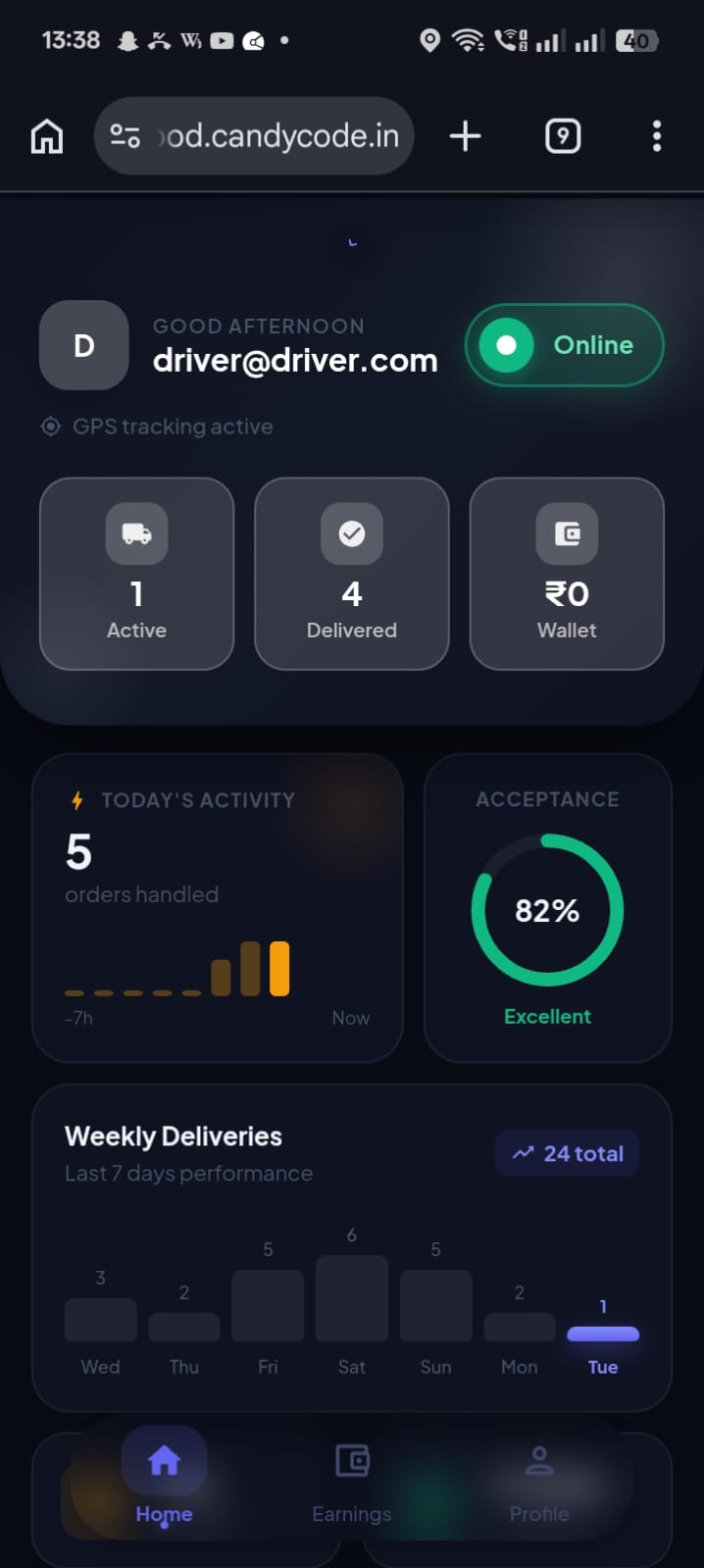
Android · GPS delivery & earnings app
Delivery Operations
Online / offline toggle — rider taps online to receive assignments; offline = invisible to the system
New assignment alert — instant push with restaurant name, distance, payout estimate, and accept/reject timer
Auto-reassign on no response — if rider misses the timer, order is auto-reassigned to next available rider
Restaurant navigation — one-tap opens Google Maps to restaurant for turn-by-turn directions
Arrived at restaurant — rider marks arrival; restaurant alerted to hand over packed order
Picked up confirmation — customer tracking immediately updates to "Out for Delivery" with live map
Customer navigation — one-tap navigation to customer's exact drop-pin after confirming pickup
OTP delivery verification — customer shares 4-digit OTP; prevents fraudulent delivered marking
Photo proof of delivery — rider takes photo for contactless delivery; stored as evidence with order
COD amount display — exact cash to collect shown for COD; rider confirms receipt in app
Masked call customer — one-tap call without exposing either party's real phone number
Delivery issue report — flag issues (Customer Not Available, Wrong Address, Damaged) from screen
Multiple simultaneous orders — handle 2 concurrent deliveries; each tracked independently on map
Earnings & Incentives
Today's dashboard — trips completed, total km, total earnings shown as live cards on home screen
Per-delivery breakdown — base pay + distance bonus + customer tip = total per trip; fully transparent
COD balance tracker — running cash collected total; shows pending settlement with platform
Incentive target display — active bonuses shown (e.g. "Complete 10 trips today — earn ₹200 bonus")
Full delivery history — every past delivery with date, time, locations, and per-delivery earning
Payout history — all settlements credited to bank with date, amount, and reference number
Star rating score — average customer rating on profile; weekly and monthly breakdown visible
Admin Panel
Web dashboard · Full platform control & analytics
Live Analytics
Live KPI cards — on login: Today's Orders, Revenue, Active Riders, Active Restaurants, Pending Orders
Revenue trend chart — daily/weekly/monthly line or bar chart; filterable by city, zone, or restaurant
Order funnel — Placed → Accepted → Delivered → Cancelled counts for any date range
Hourly order heatmap — order volume by hour of day to identify peak demand windows for rider planning
Top restaurants report — ranked by orders, revenue, and average rating for any period
Top customers report — ranked by order count and total spend; filterable by city
Top riders report — ranked by deliveries, earnings, and customer rating
Commission report — total platform commission by date range; CSV-exportable for accounting
Coupon usage report — per-coupon: usage count, total discount given, revenue on coupon orders
Sales CSV export — full order data download for any custom date range for finance teams
Restaurant Management
Add & onboard restaurant — name, logo, cover image, address, cuisine, contact, and login credentials
Enable / disable instantly — blocked restaurant disappears from customer app immediately
Per-restaurant commission — override global rate with a restaurant-specific commission; tracked separately
View & edit any menu — admin browses and edits any restaurant's full menu from the dashboard
Restaurant payout — view pending balance; initiate bank transfer; mark settlement done
Featured restaurant toggle — promote a restaurant to the top "featured" section on customer app home
Document verification — view FSSAI, GST certificate, and identity docs for onboarding approval
Approval queue — new self-registrations wait for admin approval before appearing on app
Rider Management
Rider registration approval — self-registrations go to approval queue; admin reviews documents before activation
Eagle View live map — all online riders on a real-time map; Green (Free) / Orange (On Delivery) / Red (Offline)
Manual order assignment — assign or reassign any order to any available rider; overrides auto-assignment
Rider earnings & COD view — per-rider earnings, pending COD cash, and total deliveries for any date range
Incentive programs — create target-based bonus programs (e.g. 15 deliveries = ₹300 bonus)
Zone assignment — assign riders to specific zones; they receive only orders from their assigned areas
Order Management
Live orders dashboard — all active orders across all restaurants in real time with full details
Order status filter — Placed / Accepted / Preparing / Out for Delivery / Delivered / Cancelled
Cancel from admin — cancel any active order with reason; auto-triggers refund to customer wallet
Full / partial refund — credited to wallet instantly or returned to original payment method
Order search — by Order ID, customer name, restaurant, rider, or phone number
CSV export — download filtered orders for any date range for finance and operations
Customer Management
Customer list — all customers with name, phone, date, total orders, and total spend
Block / unblock — restrict fraudulent accounts; blocked users cannot login or order
Manual wallet adjustment — admin credits or debits wallet directly (refund, compensation, bonus)
Referral tracking — referral chains, total credits distributed, and conversion rates per code
Zone & Delivery Fees
Zone drawing on map — admin draws delivery polygons on Google Maps; each zone has independent fee settings
Base + distance fee — flat base fee + per-km charge (e.g. ₹5/km after 2 km) for longer distances
Surge pricing — fee multiplier applied automatically during peak hours or bad weather
Free delivery threshold — minimum cart value above which delivery is free; per-zone or global
Zone pause toggle — pause delivery in any zone during outages without deleting configuration
Notifications & SMS
Broadcast to all customers — send push to every customer simultaneously with title, body, and optional image
Broadcast to all riders — separate channel for delivery boys (weather alerts, incentive announcements)
Broadcast to all restaurants — channel for owners (policy updates, maintenance windows, new features)
City / zone targeted push — send only to users in a specific city or zone for localised promotions
Notification scheduling — schedule future sends; auto-fires without manual intervention
Notification history — all sent notifications with title, audience, sent time, and delivery count
Promo banner manager — upload, reorder, activate, and deactivate hero banners on customer app home
SMS OTP login — 6-digit OTP via registered sender ID in seconds for secure login
Order placed SMS — immediate confirmation with order ID and estimated delivery time
Order accepted SMS — notifies customer when restaurant accepts and starts preparing
Out for delivery SMS — sent when rider picks up and is en route
Delivered SMS — delivery confirmation with a prompt to rate the experience
Cancellation + refund SMS — reason + refund status sent automatically on cancellation
Welcome SMS — branded welcome message on every new customer's first signup
Provider config — Msg91, Fast2SMS, Twilio configurable from admin; no code change needed
Platform Settings
App name & logo — update white-label name and logo from dashboard; reflected across all apps
Payment gateway keys — Razorpay, PayU, Stripe API credentials stored securely from admin settings
Google Maps API key — managed from admin; used for address search, distance calc, and live tracking
Firebase FCM config — FCM server key and APNs certificate for push delivery; manageable from settings
Maintenance mode — all apps show "Down for maintenance" screen until deactivated; no deploy needed
Force update — set minimum app version; older builds see mandatory update screen
Terms & privacy policy — update legal content from dashboard without app update or developer help
Eagle View & Live Kitchen
All riders on one map — every active rider's GPS position visible simultaneously; updated every few seconds
Colour-coded status pins — Green (Free) · Orange (On Delivery) · Red (Offline) · Black (Offline with Active Order)
Click rider for details — name, vehicle, current orders, today's deliveries, and COD cash in hand
Zone / city filter — filter map to show only riders in a specific city or delivery zone
Active delivery route — admin sees current route: restaurant → customer with rider's live position
Delivery issue flags — rider-reported issues appear as flag icons on Eagle View for immediate admin action
Live kitchen video — any IP camera / CCTV compatible; works with any RTMP or HLS stream
Customer-viewable kitchen feed — tap "Watch Live Kitchen" on restaurant page to see kitchen in real time
Restaurant sets own stream URL — restaurant enters their RTMP/HLS URL from app settings; admin-free
Admin enable per restaurant — super admin turns kitchen video on/off per restaurant independently
Graceful offline state — if stream is down, shows "Camera not available" instead of error screen
Auto-Assignment System
Auto-assign by load — rider with fewest active deliveries gets the new order; balanced workload
Auto-assign by zone — only riders in the matching delivery zone receive the assignment request
Auto-assign by city — riders' registered city must match pickup or delivery city for assignment
Manual override — admin assigns or reassigns any order to any available rider at any time
Bulk assignment — admin bulk-assigns multiple unassigned orders to available riders in one action
Rider self-claim (optional) — configurable: nearby riders can self-claim unassigned orders from their app
Role-Based Admin Access
Super Admin — full access to every section, setting, and report; highest permission level
City / Zone Manager — manages only their assigned city or zone; no access to other areas
Support Agent — customer management and order history only; no financial or system settings
Finance Admin — payouts, commission reports, and wallet adjustments only
Custom role builder — super admin creates any custom role with granular per-section read/write toggles
Technical Stack
Android apps — Flutter; minimum SDK Android 5.0 (API 21); supports all major brands
iOS apps — Flutter; iOS 13 and above; App Store submission ready with screenshots & metadata
White-label build — app name, package name (com.yourbrand.app), logo, and primary colour customised per client
Single codebase — one Flutter codebase builds both Android and iOS; reduces build & update costs
Backend API — Laravel REST API with JWT auth; stateless, scalable, Postman-documented
Admin panel — Vue.js / React SPA; fully responsive on desktop, laptop, and tablet
Database — MySQL with indexed tables optimised for high-throughput order & geolocation queries
Real-time layer — Firebase Realtime Database + WebSocket for live order status & GPS sync
Push notifications — Firebase Cloud Messaging (FCM) Android · Apple Push Notification (APNs) iOS
Google Maps SDK — in-app maps, Distance Matrix API for ETA & delivery fee calculation
Image storage — AWS S3 / Cloudinary / local server for menu images, logos & delivery proof photos
Multi-city architecture — single backend manages unlimited cities and zones; new cities without code changes
Source code delivery — full source code ZIP with setup docs after final payment clearance
REST API documentation — Postman collection / Swagger docs for all endpoints; supports future integrations
Production deployment — server configured, SSL installed, domain pointed, services deployed & tested for go-live
📷 QR Table Ordering

Table QR Ordering — No Waiting, No App

Customers scan a QR code at their table, browse the full digital menu and order directly from their phone.

Works on any phone — no app download needed
Instant digital menu with photos & prices
Order & pay directly from the table
Real-time KOT auto-sent to kitchen
Spice Garden 🪑 Table 7
Scan to Order
Pizza
Burger
Pasta
Margherita Pizza₹249+ ADD
Farmhouse Pizza₹329+ ADD
🛒 2 items · ₹578Place Order →
🎥 Live Kitchen Video

Live Kitchen Video — Connect Any Camera

No mobile needed. Connect any existing CCTV or IP camera directly — customers watch the kitchen live inside the app.

Works with any existing CCTV or IP camera
No extra hardware needed — plug into your current setup
Customer watches live stream inside the order screen
Reduces cancellations and builds brand loyalty
LIVE
👨‍🍳
● REC 08:42
247
Viewers
4.9
Trust
14
Live Orders
🖥️ POS System

Full POS System — Included at No Extra Cost

Complete point-of-sale for dine-in, takeaway and delivery. No extra hardware or subscriptions required.

Smart Billing
One-click bill with tax, discount & split-pay
KOT System
Kitchen Order Tickets auto-sent on every order
Table Management
Manage dine-in tables, seats & floor layout
Staff Accounts
Multiple cashier & waiter roles with permissions
Shift Reports
Revenue, order count & daily shift summaries
Dine-in & Takeaway
Handle all order types from a single screen
POS Terminal
🪑 Table 5 · Dine-in
Butter Chicken ×2₹520
Garlic Naan ×4₹120
Gulab Jamun ×2₹80
Subtotal₹720
GST (5%)₹36
Total₹756
🧾 Print Bill & Send KOT
✦ Features

Packed With Powerful Features

Every feature you need to run a competitive food delivery business — included in every plan.

📍
Live GPS Tracking
Track riders in real-time on the map. Customers always know exactly where their food is.
💳
Multiple Payment Modes
Cash, wallet, UPI, card — accept payments your way.
🏷️
100% White Label
Your logo, your brand name, your colors — completely yours.
🌍
Multi-city Support
Run your food delivery service across multiple cities from one admin panel.
Ratings & Reviews
Build trust with customer, restaurant and rider rating system.
🎟️
Coupons & Promo Codes
Run discount campaigns and offers to grow your customer base.
📊
Earnings & Reports
Detailed reports on orders, revenue, restaurants and delivery metrics.
🔔
Push Notifications
Instant notifications to customers and riders for every order update.
✦ Process

Get Started in 3 Simple Steps

From first call to live app — we handle everything so you can focus on your business.

1
🛒

Purchase Xmato

Choose your plan and complete the purchase. We set everything up for you.

2
🎨

Brand It Yours

Share your logo, colors and app name. We publish the apps under your brand.

3
🚀

Go Live & Earn

Your food delivery platform is live. Start onboarding restaurants and accept orders.

✦ FAQ

Frequently Asked Questions

Everything you need to know before getting started.

Yes, 100%. Your logo, app name, brand colors — everything is customized to your business.
No. We handle all the technical setup. You just manage your business from the admin panel.
Typically 1-3 business days after we receive your branding assets.
Yes! Click the Demo button to try the live admin panel, customer app and restaurant app.
Both Android and iOS (React Native). Published on Play Store & App Store under your brand.
Yes. We provide full support for setup, customization and any issues you face.
Ready to launch your food business?
View Demo See Pricing